
Why Is My iPhone Screen Damaged?
A cracked, flickering, or unresponsive iPhone screen usually comes down to one of a handful of causes: a drop onto a hard surface, pressure damage from sitting in a tight pocket or bag, a manufacturing defect in the display or digitizer, or internal damage from a previous repair that wasn’t done correctly. Modern iPhones pack an OLED display, a touch-sensitive digitizer layer, and sensors for Face ID and True Tone into one thin assembly, so even a drop that only cracks the outer glass can sometimes affect touch response or color accuracy underneath.
Understanding what actually happened to your screen helps you make a better decision about repair and helps a technician diagnose the problem accurately before any work begins.
Quick Answer: Can My iPhone Screen Be Repaired?
Most iPhone screen damage can be repaired by replacing the full display assembly the glass, OLED or LCD panel, and digitizer together. A cracked screen that still responds to touch is usually a straightforward replacement. A screen that’s unresponsive, discolored, or showing dark spots may point to deeper internal damage, which a diagnostic check can confirm before repair.
Common Types of iPhone Screen Damage
Not every damaged screen looks the same, and the type of damage affects both the repair approach and how urgently it should be addressed.
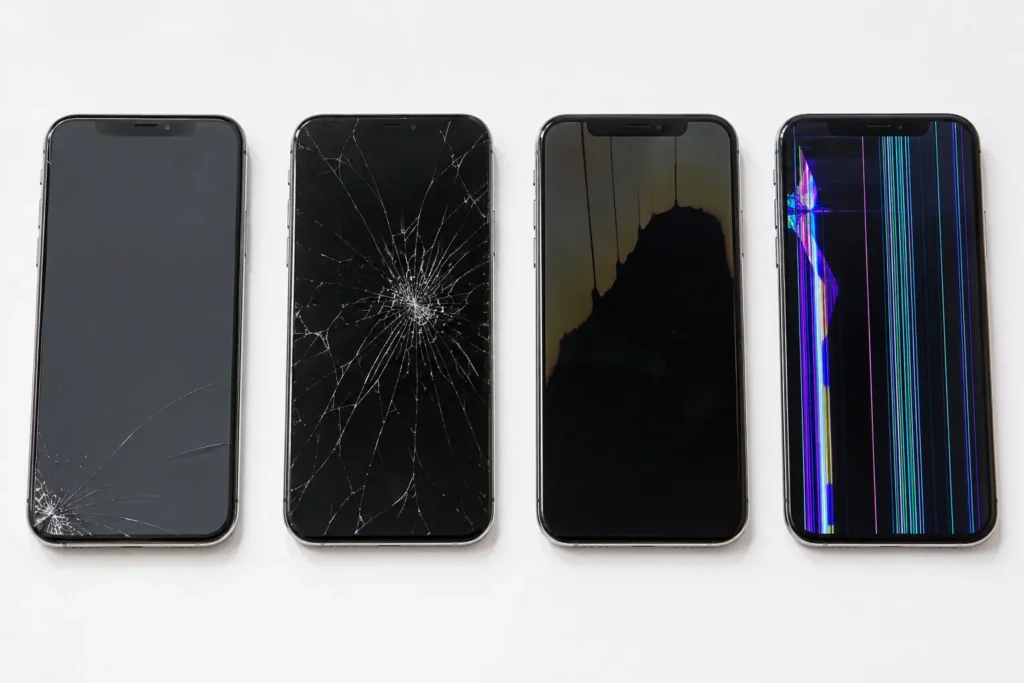
- Surface cracks: The glass is cracked but the display and touch response still work normally. Lowest urgency, but cracks spread over time and can eventually reach the digitizer.
- Spiderweb cracking: Dense, radiating cracks usually from a direct impact point. Often affects touch accuracy near the crack.
- Unresponsive touch (dead zones): Sections of the screen don’t register taps, even without visible cracks. This points to digitizer damage.
- Discoloration or dark spots: Often a sign of pressure damage to the OLED panel itself, sometimes from sitting on the phone.
- Flickering or lines on screen: Can indicate a loose or damaged display cable connection, which is common after a drop even without a visible crack.
- Screen won’t turn on but phone still works: Sound, vibration, and notifications work, but the display stays black usually a display cable or panel failure rather than a battery or logic board issue.
Screen Technology: What’s Actually Replaced
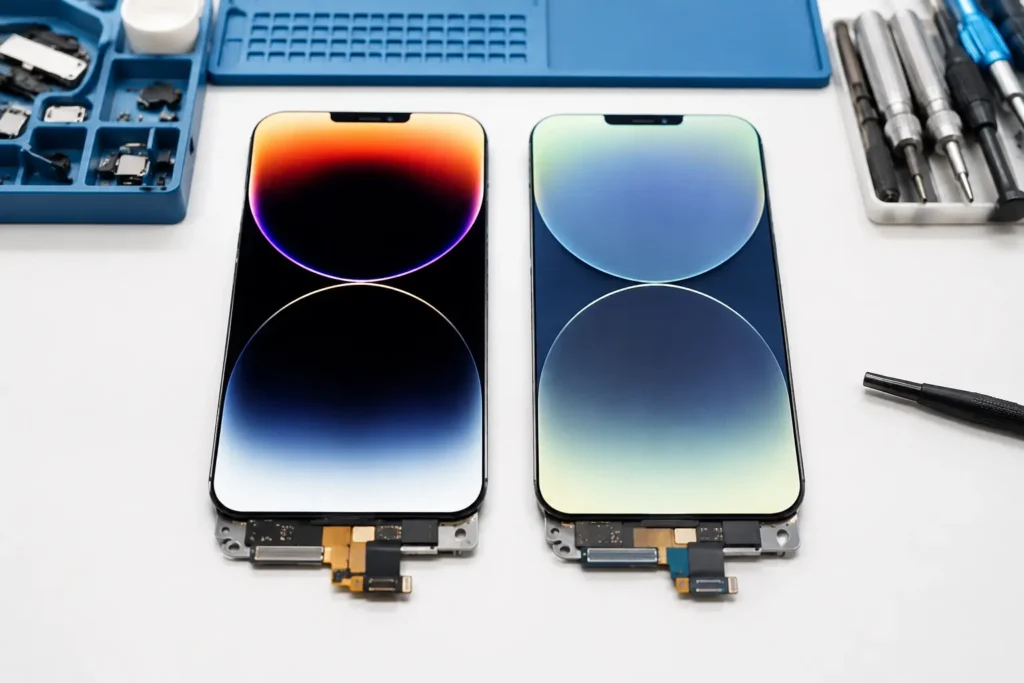
Since the iPhone X, Apple has used OLED displays on most models, with LCD retained on lower-cost models like the iPhone SE. When screen is replaced, there are generally three quality tiers of replacement part available:
| Part Type | Description | Best For |
|---|---|---|
| OEM / Genuine | Original Apple display, pulled from a donor device or sourced through Apple’s parts program | Preserving full brightness, color accuracy, and Face ID/True Tone performance |
| High-Quality Aftermarket OLED | Third-party OLED built to closely match original specs | Strong balance of cost and performance |
| Aftermarket LCD | Budget option, sometimes used to replace an original OLED | Lowest cost, most noticeable difference in color and contrast |
A trustworthy repair shop will tell you upfront which tier of part is being used and explain any trade-offs rather than letting you assume you’re getting an original Apple screen when you’re not.
Does a Screen Replacement Affect Face ID or True Tone?
This is one of the most common concerns, and it’s a fair one. Since the iPhone 13, Apple ties True Tone and, on newer models, some display calibration data to the specific screen installed at the factory. A repair that doesn’t properly handle this pairing can result in a “genuine Apple part” warning, loss of True Tone, or automatic brightness that doesn’t behave normally. Face ID itself relies on the TrueDepth camera module, not the screen, so a screen replacement alone typically doesn’t disable Face ID — but a technician working carelessly around that area of the phone could damage the components that do. This is exactly the kind of detail worth asking about before you agree to a repair.
Repair vs. Replace: How to Decide
A cracked screen doesn’t automatically mean it’s time for a new phone. A few questions can help clarify the right call:
- Is the damage limited to the screen? If the frame, cameras, and internal components are intact, repair is usually the more cost-effective choice.
- How old is the device? A phone that’s otherwise performing well and within the last few years of Apple’s software support is generally worth repairing.
- Has this happened before? Repeated screen damage might point to a case or habits worth changing, not a reason to avoid repair.
- Do you rely on the phone for work? Minimizing downtime with a same-day repair is often more practical than a full replacement, which involves data transfer and setup time.
In most cases, repair preserves more value than replacement but a phone with multiple hardware issues beyond the screen, or one that’s several generations behind current models, may be a different conversation. An honest technician should be willing to talk through that trade-off with you rather than pushing a repair regardless of whether it makes sense.
What to Expect During a Professional Repair
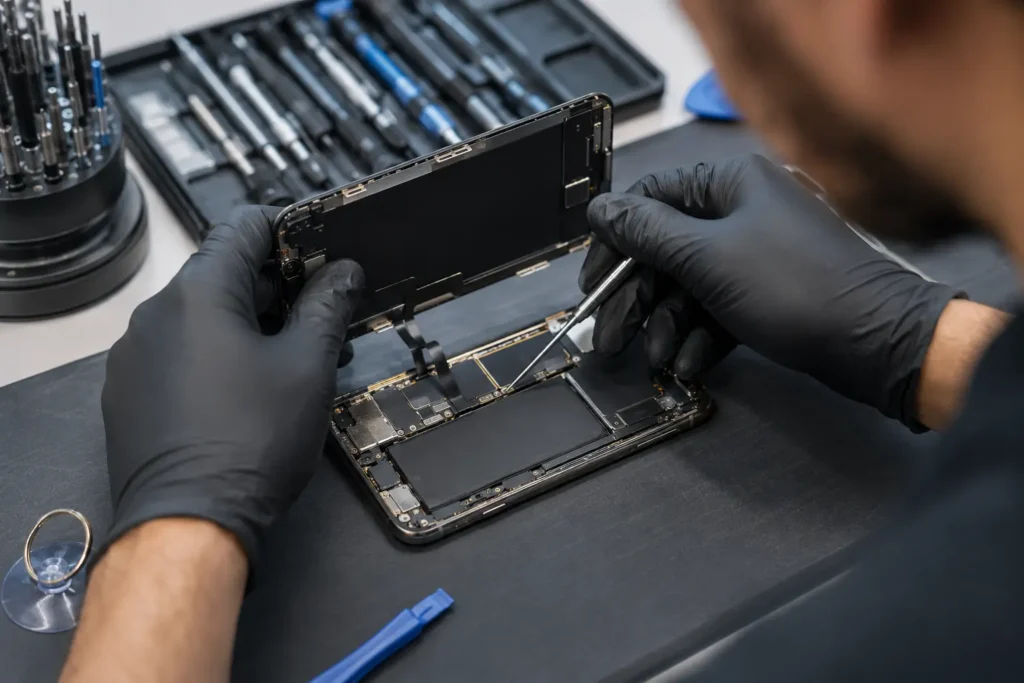
A proper iPhone screen replacement generally follows the same sequence regardless of model:
- Diagnostic check: Confirming the issue is isolated to the screen and checking for related damage (back glass, camera lens, frame).
- Data backup recommendation: While a screen repair shouldn’t affect your data, a reputable shop will still recommend backing up beforehand as a precaution.
- Careful disassembly: Removing security screws and softening adhesive without applying excessive heat or force near the battery or logic board.
- Display assembly replacement: Installing the new screen and reconnecting all cables, including the front sensor assembly.
- Calibration and testing: Testing touch response, True Tone, brightness, and Face ID (where applicable) before the phone is handed back.
- Reseal: Reapplying adhesive to help maintain the phone’s original water and dust resistance.
Turnaround time depends on the model and part availability, but most straightforward screen replacements can be completed same-day.
Common Mistakes to Avoid in doing iPhone screen repair
- Ignoring a small crack. A minor crack can spread or let dust and moisture reach the digitizer, turning a simple fix into a more expensive one.
- Using a phone with an unresponsive screen for too long. This risks additional damage if the phone is dropped again while already compromised.
- Choosing a repair shop based on price alone. The cheapest quote sometimes means the lowest part quality, with no explanation of what’s actually being installed.
- Attempting a DIY repair without the right tools. Modern iPhones use specialized adhesive and delicate ribbon cables. Without proper tools, it’s easy to damage the battery or True Tone sensor during disassembly.
- Skipping a post-repair test. Touch response, Face ID, and True Tone should all be verified before you leave the shop, not discovered as a problem later.
Expert Tip
Expert Tip: If your screen cracks. Avoid pressing firmly on the display or trying to “test” the crack with your finger. Cover it with clear packing tape as a temporary measure to keep glass fragments contained. Prevent dust or moisture from reaching the digitizer until it can be professionally repaired.
FAQs
Most screen replacements are completed within one to two hours, and many shops offer same-day service if parts are in stock.
OEM screens are genuine Apple parts and offer the closest match to original performance. High-quality aftermarket screens are a more affordable alternative with a small trade-off in color accuracy. True Tone behavior, depending on the part.
Yes. Cracks can spread, and gaps in the glass allow dust and moisture to reach the digitizer. Internal components, potentially turning a screen-only repair into a more involved one.
Apple’s standard warranty and AppleCare+ can be affected by non-Apple repairs. If your device is still under warranty, it’s worth weighing that against the cost and turnaround time of an authorized repair.
Not necessarily. If the screen is cracked but the phone doesn’t power on. the issue may be a battery, logic board, or charging port problem rather than the display itself a diagnostic check can confirm the actual cause.

Conclusion
A damaged iPhone screen is inconvenient. But in the vast majority of cases it’s a straightforward, well-understood repair not a reason to replace the entire device. Understanding what type of damage you’re dealing with, what quality of replacement part is being used and what a proper repair process actually involves puts you in a much better position to make a confident decision. Whether that’s a same-day fix or a bit more research first.
If your iPhone screen is cracked, flickering, or unresponsive. Phone Expert Phone Repair & Designs can diagnose the issue and walk you through your repair options clearly, with no pressure and no guesswork about what’s being installed. Contact us or stop by for a diagnostic check to get a straight answer on your repair.