
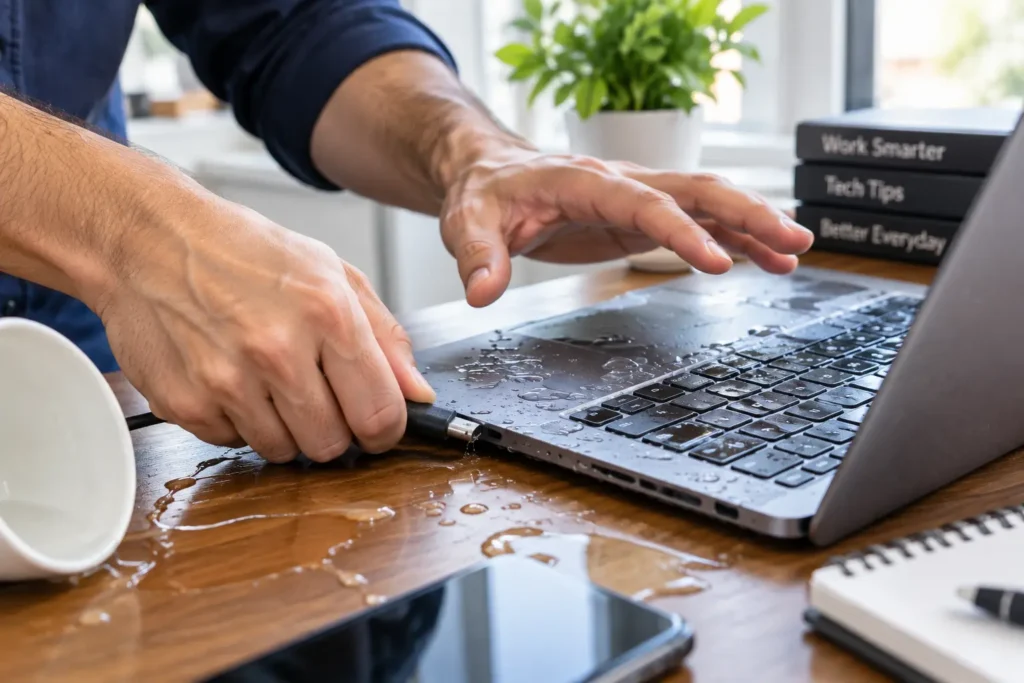
You just spilled water on your laptop, and panic is setting in. The good news: fast, correct laptop water damage repair saves most devices. This holds true even when the screen goes black or the keyboard stops responding. What you do in the next five minutes matters most, so read this guide before you touch your machine again.
What to Do Immediately After a Laptop Water Spill
Act fast, but do not rush into the wrong move. Follow these steps the moment liquid touches your keyboard.
- Power off the laptop instantly. Hold the power button down instead of waiting for a normal shutdown. Every extra second of electrical current raises the risk of a short circuit.
- Unplug the charger and remove the battery if your model allows it. Removing the power source is the single most important step in any laptop water damage repair situation.
- Disconnect all accessories. Pull out USB drives, mice, and cables so nothing draws power through the ports.
- Turn the laptop upside down in a tent shape. This lets excess liquid drain away from the motherboard instead of pooling deeper inside the case.
- Blot the exterior dry with a lint-free cloth. Avoid rubbing, since rubbing pushes liquid further into the keyboard and vents.
A detailed liquid-damage walkthrough from Digital Trends confirms this approach. Removing detachable components and draining the device immediately gives you the best chance of preventing permanent internal damage. Speed genuinely determines the outcome, so complete these steps first.
What NOT to Do During Laptop Water Damage Repair
A few common reactions actually make water damage worse. Avoid these mistakes:
- Don’t power the laptop back on just to check if it still works. Powering on a wet device is the fastest way to fry the motherboard.
- Don’t use a hair dryer, oven, or microwave. Heat can warp internal components and push moisture deeper instead of removing it.
- Don’t skip straight to rice. Rice pulls some surface moisture, but it does nothing for corrosion already forming on circuit boards. Rice dust can also clog your ports.
- Don’t shake or tilt the laptop repeatedly. Excess movement spreads liquid across components that were still dry.
- Don’t wait several days before seeking help. Corrosion starts within hours, so the sooner a technician opens the case, the more parts survive.
How Professional Laptop Water Damage Repair Works
Once your laptop reaches our shop, our technicians follow a structured process instead of guessing. This is what real laptop water damage repair looks like behind the scenes.
Full Diagnostic and Corrosion Inspection
We open the case and inspect the motherboard, RAM, storage drive, and battery connections under magnification. This step identifies exactly which components liquid reached and how much corrosion has started. You get an honest, accurate repair quote instead of a guess.
Component-Level Cleaning and Drying
Our team uses isopropyl alcohol and ultrasonic cleaning tools to dissolve mineral deposits and corrosion from the circuit board. This stops damage before it spreads further. We then dry every component in a controlled environment. This removes trapped moisture that a towel or a bag of rice could never reach.
Data Recovery After Liquid Damage
If your storage drive took on water, our team can often recover your photos, documents, and files. This works even when the laptop itself needs new parts. Battery corrosion is also common after a spill. If yours needs replacing, our laptop battery replacement service handles that alongside your repair.
Show Image AI image generation prompt: “Extreme close-up macro photo of a technician using a small brush and isopropyl alcohol to clean corrosion off a laptop motherboard, gloved hands, bright workbench lighting, highly detailed realistic photography.”
Signs Your Laptop Needs Professional Water Damage Repair
Some symptoms show up immediately. Others appear days later, once corrosion has had time to spread. Watch for:
- The screen flickers, shows lines, or stays black
- Keys stick, repeat, or stop responding
- The laptop won’t power on at all
- A burning smell or unusual heat near the vents
- The trackpad behaves erratically or freezes
- The battery drains far faster than usual
If you notice any of these signs, stop using the laptop and bring it in. Continuing to use a water-damaged laptop almost always turns a simple repair into a full motherboard replacement.
How Much Does Laptop Water Damage Repair Cost?
Pricing depends on how far the liquid traveled and which parts corrosion affected. A laptop powered off within seconds, and only needing cleaning, costs far less to fix. One that ran for hours while wet, and now needs a new motherboard, keyboard, or storage drive, costs considerably more. We always run a free diagnostic first. You get a clear price before any work begins, so there’s never a surprise bill for your laptop water damage repair.

Why Choose Phone Expert for Laptop Water Damage Repair in Mebane, NC
Phone Expert Phone Repair & Designs has handled liquid-damaged phones, tablets, and laptops for years. We serve customers across Mebane and the surrounding area. Our technicians open every device the same day whenever possible. Delay is the biggest threat to a water-damaged machine. We stock parts for the most common laptop brands and back every repair with a warranty. We never start work without your approval on price. If your laptop needs a different repair once it’s dry, we can help. Our team handles everything from screen replacement to full computer repair under the same roof.
We carry the same fast, careful approach across our entire laptop repair lineup and our full menu of repair services. Your laptop stays in experienced hands from diagnostic to pickup.
Get Fast, Reliable Laptop Water Damage Repair Today
Every minute counts after a spill, so don’t wait for corrosion to spread. Power down your laptop and follow the emergency steps above. Then bring your device to Phone Expert for a free diagnostic. Contact us today, or stop by 1329 Mebane Oaks Rd, Mebane, NC 27302. Let our technicians handle your laptop water damage repair the right way, the first time.