
Laptop overheating problems ruin your workday fast. The fan roars, the keyboard burns your wrists, and the screen freezes at the worst moment. At Phone Expert Phone Repair & Designs, we fix laptop overheating problems every week for customers across Mebane, NC. Our technicians open your laptop, find the real cause, and restore proper cooling. Most customers walk out with a cooler, quieter, faster machine.
Warning Signs of Laptop Overheating Problems
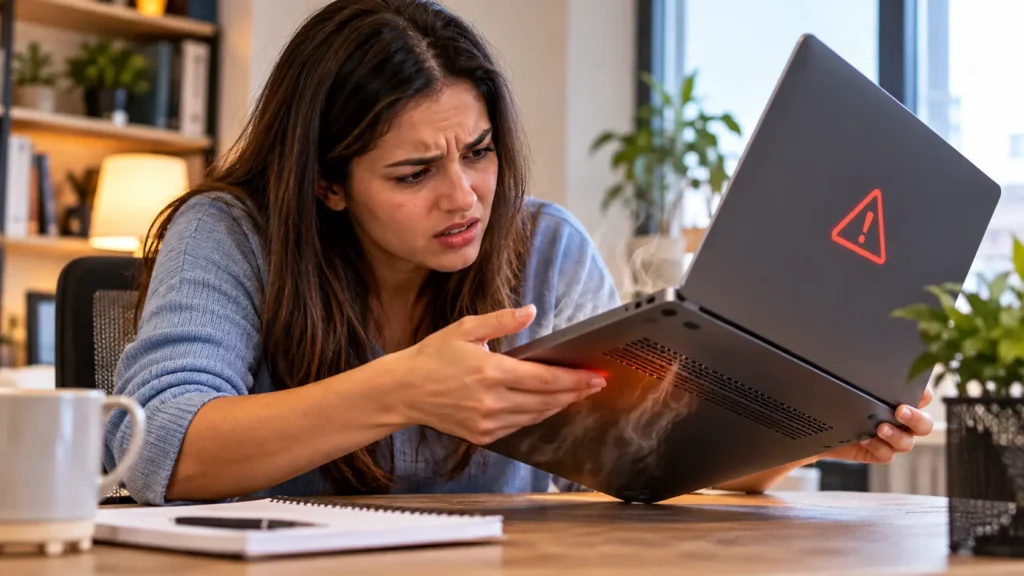
Heat rarely arrives without warning. Your laptop sends clear signals long before it fails. Bring your laptop to us if you notice any of these signs:
- Loud, constant fan noise even during light tasks like browsing or email
- A hot keyboard, palm rest, or bottom panel that feels uncomfortable to touch
- Sudden shutdowns or restarts with no warning message
- Freezing, stuttering, and sluggish performance that gets worse as the laptop warms up
- Games and video apps that crash after a few minutes of use
- A hot charger or battery that heats up while you charge
Every one of these signs points to a cooling system that can no longer keep up. Waiting only makes the damage worse.
What Causes Laptop Overheating Problems in Mebane Homes and Offices
We open hundreds of laptops, and the same culprits show up again and again. Our technicians find these causes most often:
- Dust-clogged vents and fans. Dust builds a heavy blanket over the heatsink and blocks airflow.
- Dried-out thermal paste. Old paste stops moving heat from the processor to the heatsink.
- Failing cooling fans. Worn fan bearings slow the fan or stop it entirely.
- Aging batteries. A swollen or worn battery generates extra heat, especially during charging.
- Heavy background activity. Too many programs push the processor to its limit.
- Soft surfaces. Beds, couches, and pillows block the intake vents.
Manufacturers agree. HP’s official support guidance explains that dust and debris build up around the air vents. This blocks airflow and forces the fans to work harder. Our shop cleans out that buildup properly, with the right tools and the right care.
Our Laptop Overheating Problems Repair Services
We do more than blow out a little dust. Every laptop gets a complete cooling system repair matched to what we find inside.
Deep Internal Cleaning for Laptop Overheating Problems
We open the case and clear dust from the fans, vents, and heatsink fins. This restores airflow and often drops temperatures right away. Clean airflow also cuts fan noise, so your laptop runs quieter.
Thermal Paste Replacement
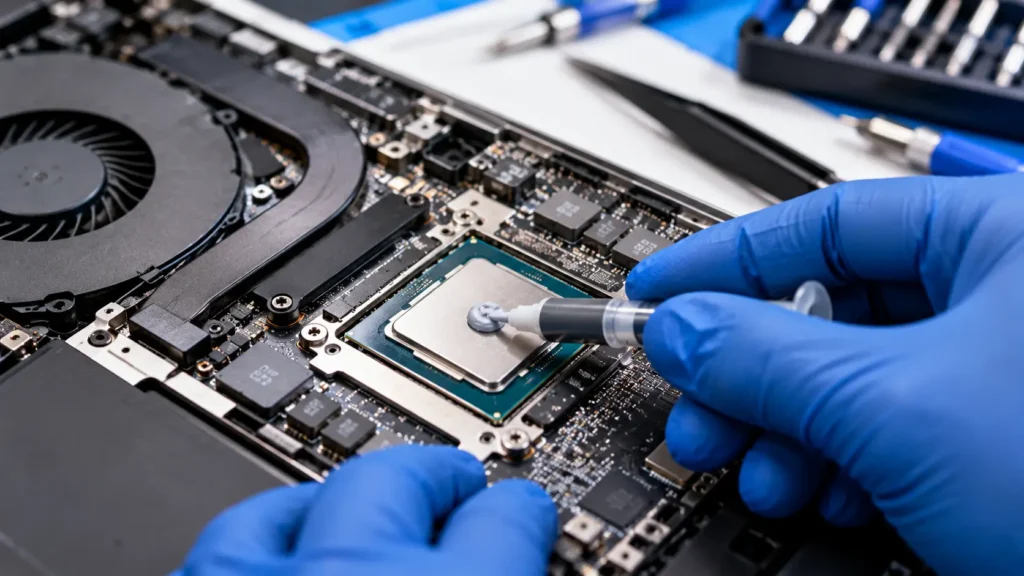
Old thermal paste dries out and loses its ability to move heat. We remove the old compound and apply fresh paste to the processor and graphics chip. This simple service fixes many stubborn laptop overheating problems.
Cooling Fan Replacement
A grinding, rattling, or silent fan needs replacement, not cleaning. We install a quality replacement fan and test it under load. Your laptop then holds a steady temperature again.
Battery Testing and Replacement
Heat and battery wear go hand in hand. We test your battery during every overheating repair. If it runs hot or swells, our laptop battery replacement service fixes it in the same visit.
Why Ignoring Laptop Overheating Problems Costs You More
Heat quietly destroys electronics. A laptop that runs hot for months wears out its most expensive parts. Ignored laptop overheating problems can lead to:
- A dead motherboard. Repeated heat stress damages solder joints and chips.
- Lost files. Sudden shutdowns can corrupt data and damage the storage drive.
- A swollen battery. Heat shortens battery life and raises safety risks.
- A slower laptop. The processor cuts its own speed to protect itself from heat.
A quick cooling repair costs far less than a new motherboard or a brand-new laptop. Fix the problem early and protect your investment.
Why Professional Repair Beats DIY for Laptop Overheating Problems
Plenty of online videos promise a quick fix. Some tips help, but many cause new damage. Modern laptops pack tiny screws, fragile ribbon cables, and delicate heatsinks into thin cases. One slip can tear a cable or crack a board. Dust also hides deep inside the heatsink, where compressed air alone cannot reach it.
Our technicians open laptops every day. We know which screws hide under rubber feet and which clips snap easily. We use anti-static tools and controlled cleaning methods. You get a safe repair and a laptop that runs cool, without the risk of a costly mistake.
Laptop Overheating Problems: Repair or Replace?
Many customers assume a hot laptop means a dead laptop. That is rarely true. Most laptop overheating problems come from dust, old thermal paste, or a tired fan. All three cost far less to fix than a new machine.
A repair makes the most sense when your laptop otherwise works well. You keep your files, your programs, and your setup. You also skip the hassle of transferring data to a new device. We always give you an honest opinion. If your laptop has bigger problems, we tell you plainly before you spend anything.
How We Fix Laptop Overheating Problems
Our process stays simple, honest, and fast. You always know what we find and what it costs.
- Free diagnostic. We check temperatures, fan speed, battery health, and airflow before we recommend anything.
- Clear quote. We explain the cause in plain language and give you the price upfront.
- Careful disassembly. We open your laptop with the right tools and protect every connector.
- Cooling system repair. We clean, repaste, or replace the parts that need attention.
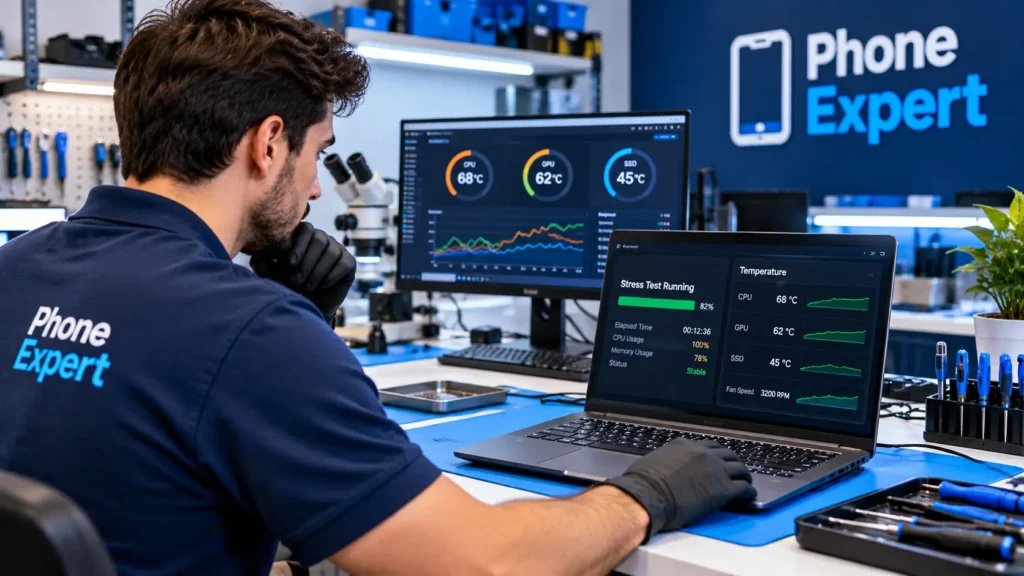
- Load testing. We run your laptop under heavy use to confirm the temperatures stay steady.
- Reassembly and handoff. We close the case, test every function, and return a cooler laptop.
Overheating Repair for Gaming, Work, and Student Laptops
Every laptop heats up differently. A student who streams lectures all day stresses the cooling system in one way. A gamer who pushes a graphics chip for hours stresses it in another way. We tailor each repair to how you actually use your machine.
- Gaming laptops. We service the fans, heat pipes, and thermal paste on both the processor and the graphics chip.
- Work laptops. We keep your machine cool and quiet through long video calls and heavy spreadsheets.
- Student laptops. We restore cooling on older machines, so your laptop lasts through the school year.
- Creative laptops. We keep editing and design workloads steady, without slowdowns from heat.
We Repair Laptop Overheating Problems on Every Brand
Heat affects every laptop, from thin office notebooks to powerful gaming machines. Our team works on the major brands, including HP, Dell, Lenovo, Acer, ASUS, and Apple MacBook. Gaming laptops need extra attention, since their powerful graphics chips generate serious heat. We service those too, and we tune the cooling to match the workload.
Our full laptop repair team also handles screens, keyboards, charging ports, and storage upgrades. Your laptop can leave our shop fixed from top to bottom, not just cooled down.
Keep Your Laptop Cool After We Fix Your Overheating Problems
Your repair gives you a fresh start. A few simple habits keep it that way. Place your laptop on a hard, flat surface so the vents can breathe. Avoid beds and couches. Close programs you do not use. Bring your laptop back for a cleaning checkup once a year, since dust always returns. Regular care prevents new laptop overheating problems and extends the life of your investment.
Why Choose Phone Expert for Laptop Overheating Problems in Mebane, NC
Phone Expert Phone Repair & Designs stands behind every repair. Our technicians treat your laptop like their own. Here is what sets us apart:
- Free diagnostics. You learn the real cause before you spend a dollar.
- Honest pricing. We quote first and never start work without your approval.
- Fast turnaround. Many cooling repairs finish the same day.
- Quality parts. We install reliable fans, paste, and batteries built to last.
- Local service. You drop off and pick up in Mebane, with no shipping and no waiting for mail-in repairs.
We also offer complete computer repair for desktops, and our full menu of repair services covers phones, tablets, and game consoles too. One trusted shop handles all your devices.

Frequently Asked Questions About Laptop Overheating Problems
Yes. Long-term heat wears out the battery, storage drive, processor, and motherboard. Early repair prevents these costly failures.
Many cleaning and thermal paste repairs finish the same day. A replacement fan or battery may take longer if we need to order your exact part. We give you an honest timeline during your free diagnostic.
Blocked vents, dried thermal paste, or a weak fan usually cause this. Your cooling system can no longer remove heat, even under light use. A technician can confirm the cause quickly.
A cooling pad helps a little, but it cannot clean clogged fans or replace old thermal paste. It treats the symptom and leaves the cause. A proper internal repair fixes the root problem.
Sometimes. An old or swollen battery adds heat, especially while charging. We test battery health during every diagnostic and tell you honestly if you need a replacement.
Book Your Laptop Overheating Problems Repair Today
Every hot, noisy day shortens your laptop’s life. Bring it to Phone Expert for a free diagnostic and expert cooling repair. Contact us today, or stop by 1329 Mebane Oaks Rd, Mebane, NC 27302. Let our technicians solve your laptop overheating problems for good.