
Why Did My Samsung Screen Crack and Why Does It Cost So Much to Fix?
A cracked Galaxy screen usually comes from the same everyday causes as any phone: a drop onto a hard surface, pressure damage in a tight pocket, or a hinge-related stress point on foldable models. What surprises a lot of Galaxy owners is the repair bill afterward Samsung screen repair often costs more than the equivalent iPhone repair, even though the phones seem similar on the surface.
The reason comes down to how the screen is actually built, not shop pricing games.
Quick Answer: Can a Cracked Samsung Screen Be Repaired?
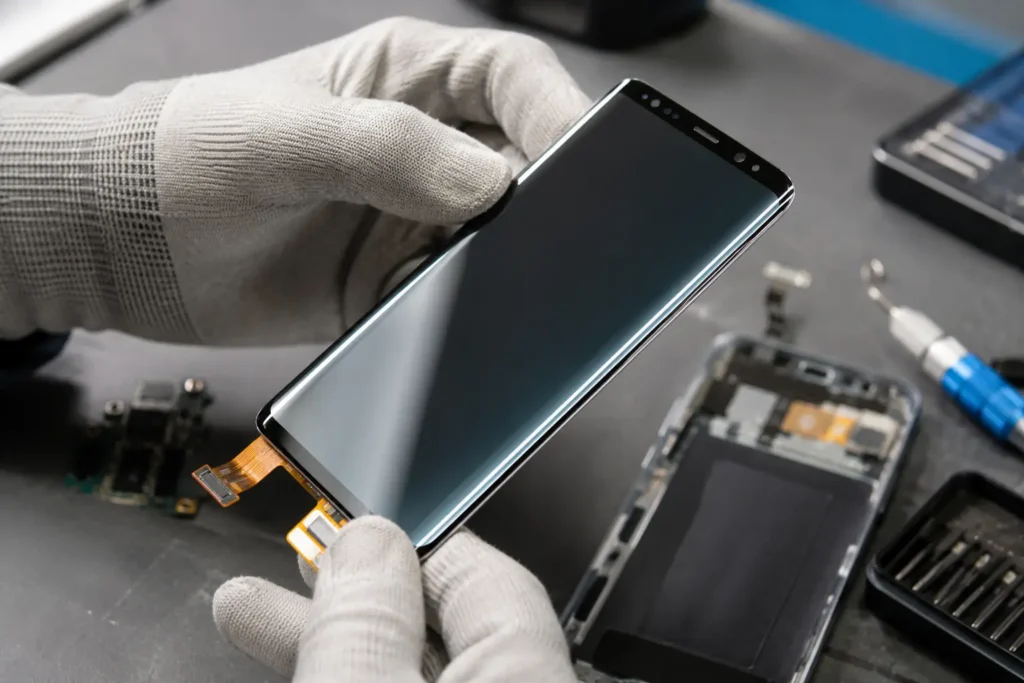
Yes. Most Samsung screen damage is repaired by replacing the full display assembly the AMOLED panel, touch digitizer, and cover glass together, since Samsung fuses these into a single sealed unit. A cracked screen that still displays and responds to touch is usually a standard replacement. Discoloration, unresponsive areas, or a screen that won’t turn on at all may point to deeper damage that a diagnostic check should confirm first.
Why Samsung Screen Repair Costs More Than iPhone Repair
Four factors consistently drive Samsung repair costs higher than comparable iPhone repairs:
- The display is a single fused assembly. Samsung laminates the Super AMOLED panel, digitizer, and cover glass together as one part. Even a surface-only crack means replacing the entire assembly there’s no repairing just the glass layer separately.
- Curved-edge displays. Many Galaxy S and Note models use displays that curve at the edges, which are more delicate to remove and reinstall than a flat panel and require more precise adhesive work.
- Under-display fingerprint sensors. Newer Galaxy models embed the fingerprint reader directly into the display, adding a sensitive component that must be handled and tested carefully during replacement.
- Fewer reliable aftermarket panels. Genuine and high-quality aftermarket AMOLED panels for Galaxy devices are less widely available than iPhone OLED alternatives, which keeps part costs higher across the board.
None of these are corners a responsible repair shop can cut safely they’re built into how the phone is engineered.
Common Types of Samsung Screen Damage

- Surface cracks with working touch : The glass is damaged but the display and digitizer still function. Still requires full assembly replacement due to the fused design.
- Spiderweb cracking: Dense cracking from a direct impact, often affecting touch accuracy near the point of impact.
- Dead zones or unresponsive touch: Sections that don’t register taps, pointing to digitizer damage beneath the glass.
- Discoloration, dark spots, or burn-in: Can indicate pressure damage to the AMOLED panel itself.
- Flickering or lines on screen: Often a loose or damaged display cable connection, common after a drop even without visible cracking.
- Fingerprint sensor not responding : On models with under-display sensors, this can accompany screen damage and should be tested specifically after repair.
- Screen won’t turn on but phone still works: Sound and vibration function normally, but the display stays dark — usually a display connector or panel failure.
OEM vs. Aftermarket Samsung Screens
| Part Type | Description | Best For |
|---|---|---|
| OEM / Genuine Samsung | Original Samsung display assembly | Preserving full color accuracy, curved-edge fit, and fingerprint sensor performance |
| High-Quality Aftermarket AMOLED | Third-party panel built to closely match original specs | Reasonable balance of cost and performance |
| Budget Aftermarket / Incell | Lower-cost alternative panel | Lowest cost, most noticeable difference in brightness, color, and touch sensitivity |
A trustworthy repair shop should tell you upfront which tier of part is being installed, particularly on models with curved edges or under-display sensors, where cheaper panels are more likely to show visible or functional trade-offs.
Does Screen Repair Affect the Fingerprint Sensor or Samsung Care+?
On Galaxy models with an under-display fingerprint sensor, the sensor itself is typically part of the display assembly, so a full assembly replacement should restore fingerprint function as long as the part and installation are done correctly this is exactly the kind of detail worth confirming with the shop before repair, and worth testing before you leave. If your device is covered by Samsung Care+, repairs performed by non-Samsung service providers can affect your coverage, so it’s worth checking your plan’s terms if you want to preserve that option.
Repair vs. Replace: How to Decide
- Is the damage limited to the screen? If the frame, cameras, and internals are undamaged, repair is typically the better value.
- How old is the device? A Galaxy phone still receiving Samsung’s software updates is generally worth repairing.
- Is this a foldable device? Z Fold and Z Flip screens are more specialized and delicate get a proper diagnostic before assuming standard repair pricing applies.
- Do you depend on the phone daily? A same-day repair often makes more sense than the downtime and setup involved in replacing the device entirely.
What to Expect During a Professional Repair
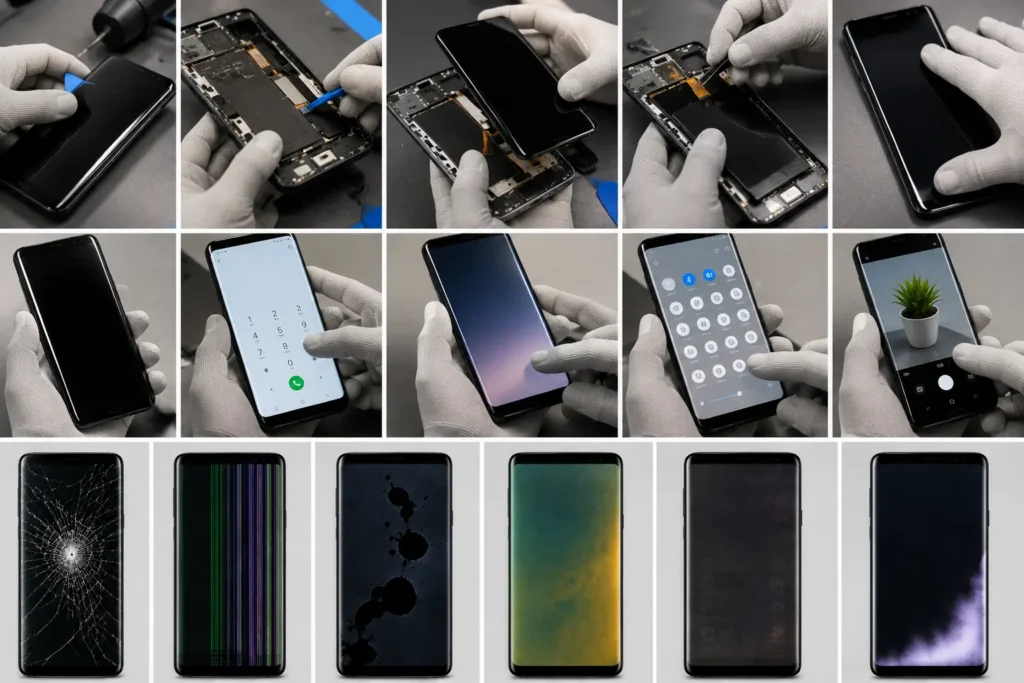
- Diagnostic check: Confirming the damage is isolated to the screen and checking for frame, back glass, or camera damage.
- Data backup recommendation: A precaution, even though a screen repair shouldn’t touch stored data.
- Careful disassembly: Removing the fused display assembly without applying excessive heat or force near the battery.
- Assembly replacement: Installing the new display and reconnecting all cables, including the fingerprint sensor connection where applicable.
- Calibration and testing: Verifying touch response, color accuracy, and fingerprint sensor function before the phone is returned.
- Reseal: Reapplying adhesive to help maintain the phone’s original water resistance.
Turnaround depends on model and part availability, but most standard Galaxy screen replacements can be completed same-day.
Common Mistakes to Avoid
- Ignoring a small crack on a curved-edge display. Cracks near the curve can spread faster and are more likely to let in moisture.
- Assuming a “glass-only” repair is available. Because the display is a fused assembly, there’s usually no such thing on modern Galaxy models be cautious of quotes that suggest otherwise.
- Choosing based on price alone. A significantly lower quote may mean a lower-tier panel with reduced color accuracy or fingerprint reliability.
- Attempting DIY repair without proper tools. Curved adhesive seals and fused assemblies are especially easy to damage without the right equipment.
- Skipping post-repair testing. Touch response, color accuracy, and fingerprint function should all be verified before you leave the shop.
Expert Tip
Expert Tip: If your Galaxy screen cracks near the curved edge, avoid pressing on that area or trying to test touch response there. Cover the crack with clear packing tape to contain glass fragments and reduce the risk of moisture reaching the digitizer until it can be professionally repaired.
Frequently Asked Questions
Samsung fuses the AMOLED panel, digitizer, and cover glass into one sealed assembly, and many models add curved edges or under-display fingerprint sensors all of which increase part cost and repair complexity compared to typical iPhone displays.
Most standard Galaxy screen replacements are completed within one to two hours, with same-day service common when parts are in stock.
On models with an under-display fingerprint sensor, the sensor is part of the display assembly. So a correctly performed replacement should restore normal function this should be tested before you leave the shop.
If the rest of the phone works well and it’s still receiving software updates, repair is usually more cost-effective than replacing the device.
OEM screens are genuine Samsung parts offering the closest match to original performance. High-quality aftermarket panels are more affordable, with a possible trade-off in color accuracy or touch sensitivity depending on the part.
Yes. Cracks can spread, particularly near curved edges, and gaps allow dust or moisture to reach the digitizer, potentially leading to a more involved repair.
It can be, depending on your plan’s terms. If preserving that coverage matters to you, it’s worth checking your specific plan before choosing a repair provider.
Conclusion
A cracked Galaxy screen is frustrating, and the repair cost can be a genuine surprise the first time but understanding why Samsung repairs work differently from iPhone repairs makes the decision much clearer. The fused display assembly, curved edges, and under-display sensors on modern Galaxy phones all add real complexity, not markup for its own sake. Knowing what type of damage you’re dealing with and what a proper repair process actually involves puts you in a much stronger position to make a confident choice.
If your Samsung Galaxy screen is cracked, flickering, or unresponsive, Phone Expert Phone Repair & Designs can diagnose the issue and explain your repair options clearly, with no pressure and no guesswork about what’s being installed. Contact us or stop by for a diagnostic check to get a straight answer on your repair.